
How can we help?
Search the WiTi knowledge base, or jump to setup guides, manuals, video tutorials, and direct contact below.
Find quick answers
Filter by category or use the search above. Still stuck? The AI Chatbot in the bottom-right corner of every WiTi page can answer most product questions instantly — or scroll down to message our support team directly.
Orders dispatched from our Sunshine North (Melbourne) distribution centre typically arrive within 2–5 business days for metro Australia and 5–10 business days for regional or interstate addresses. Tracking details are emailed once your order is dispatched.
For full details see our shipping policy.
Yes — WiTi products are distributed in New Zealand by TowPro Group Ltd. Use our dealer finder and switch the country toggle to New Zealand to locate your nearest stockist or installer.
Once your order is dispatched, you'll receive a confirmation email with a tracking link. If you have a Shopify account you can also view tracking under Account → Orders. Haven't received tracking after 3 business days? Contact us with your order number.
All current WiTi products carry a manufacturer's warranty against defects in materials and workmanship under normal use. Exact terms depend on the product — full warranty conditions are in our terms of service. For Australian buyers, this is in addition to your rights under Australian Consumer Law.
To start a warranty claim:
- Contact our support team via the form below with your order number, the product SKU, and a clear description of the issue (photos or a short video help).
- We'll diagnose remotely first — many issues are firmware or pairing related and can be fixed without sending the unit back.
- If the unit needs to be returned, we'll issue you a return ticket number and email the shipping instructions. Please don't send anything back before you've received that ticket.
Please register your product at our product registration form — it speeds up future support and warranty claims.
Full details are in our refund policy. In short: faulty products are covered by warranty (see above), and change-of-mind returns may be considered for unopened items in original packaging within a limited window. Contact us first — don't ship anything back without a Return Authorisation.
Most WiTi products are plug-and-play — SafeTrack GPS, SafeTow, and the Wireless Brake Controller V2 simply pair wirelessly to your Anti-Theft System with no extra wiring required. The only product that needs to be hardwired is the Anti-Theft System itself, which connects into your caravan or trailer's 12V electrics — a few hours' work if you're comfortable with 12V wiring.
Each product ships with a step-by-step Operational Guide (see Manuals) and we have video tutorials covering the most common installations.
If you'd rather have it professionally installed, our dealer & installer finder lists certified WiTi installers across Australia and New Zealand — many also offer mobile installation.
The WiTi Anti-Theft System V3 fits virtually all caravans, motorhomes, RVs, boat trailers, tradie trailers and race trailers running 12V electrics. Both of our brake controllers are plug-and-play for any vehicle with a tow connector — check the right unit for your Anti-Theft:
- SafeTow Wireless Brake Controller — the current model, released April 2026. Pairs with Anti-Theft units from April 2026 onwards (serial numbers starting ATB86…).
- Wireless Brake Controller V2 — legacy model. Compatible with older Anti-Theft units (SKU 450 & 460, pre-April 2026) only.
Not sure which Anti-Theft serial you have? Check the label on the main unit, or contact us with your make and model and we'll confirm fit.
Typical installation times for a competent DIY installer:
- Anti-Theft System V3: 3–5 hours — the only product that needs hardwiring into your 12V electrics
- SafeTrack GPS: 10–20 minutes provisioning — plug-and-play, pairs wirelessly to your Anti-Theft
- SafeTow / Wireless Brake Controller V2: 1–5 minutes — plug-and-play, a simple pairing process with the Anti-Theft system
Professional installers will usually be faster on the Anti-Theft fit. See our video tutorials for guided walkthroughs.
Activation happens through the SafeTrack GPS app on your phone — not via the web portal. A few things you'll need before you start:
- A 2.4 GHz WiFi network — the unit can't pair over 5 GHz
- For initial provisioning only, that WiFi must be a separate network from the phone running the app. A second phone's hotspot works well, as does any other nearby 2.4 GHz WiFi. Once the unit is provisioned you can add more WiFi networks — including the hotspot on the phone you used to set it up
- A credit card on hand to pay for the SafeTrack GPS Subscription
The SafeTrack GPS Operational Guide walks you through the full provisioning flow with screenshots. Allow up to an hour or so for the device to come online outdoors with a clear sky view after activation.
Yes — SafeTrack GPS uses a subscription to keep your asset reachable on the cellular network. Current plan options and pricing can be viewed at SafeTrack GPS Management, or are shown during activation in the SafeTrack GPS app.
Yes. The SafeTrack GPS app on your phone gives you live location, GeoLock control, anti-theft functions, and alarm alerts. For the full view — including trip history and more detailed data — log in to the WiTi SafeTrack GPS Dashboard on any modern desktop browser.
The legacy WiTi GPS is now supported directly by QuikTrak. For subscription or activation enquiries, please get in touch and we'll direct you accordingly.
For the full installation and operation flow, see the legacy WiTi GPS (SKU 570) Manual.
The legacy WiTi GPS is now supported directly by QuikTrak — WiTi no longer provides direct support for this product. For any subscription or support enquiries, please get in touch and we'll direct you to the right place. If you're considering upgrading to the current SafeTrack GPS, we'd love to help with that too.
The pairing procedure is on page 3 of your Operational Guide (see Manuals for the matching SKU). The general process for the Anti-Theft V3 (SKU 480):
- Power the main unit on and put it into pairing mode (hold the program button until the LED flashes).
- Press and hold any button on the new fob within 10 seconds until the LED solid-confirms.
- Test arm/disarm before driving.
If the LED never confirms, the fob battery may be flat — replace the CR2032 and retry.
False triggers are usually one of:
- Sensitivity too high — the gyroscope picks up wind buffeting or passing trucks. Reduce sensitivity per the manual.
- Loose 12V earth — voltage spikes confuse the unit. Re-check your earth point.
- Low aux battery — below ~11.5V the unit can fault and self-trigger. Charge or replace the battery.
- Door / window switches not seated — a flapping reed sensor reads as an intrusion.
Still stuck? Try the AI Chatbot (bottom-right of any WiTi page) or message support with the SKU and a short description.
- Confirm the auxiliary battery is above 12V at rest. WiTi units shut down protective if voltage drops too low.
- Inspect the main fuse on the supply line.
- Check the wiring loom hasn't worked loose (especially after long towing trips).
- Try a hard power-cycle: disconnect, wait 60 seconds, reconnect.
If none of those bring it back to life, get in touch — we'll diagnose remotely before requesting any return.
Download installation & operation guides
Current product manuals are below. For older models and discontinued products, see the full archive.
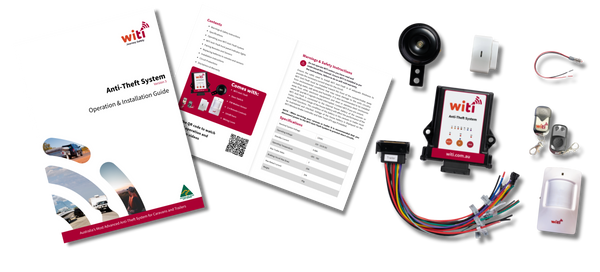
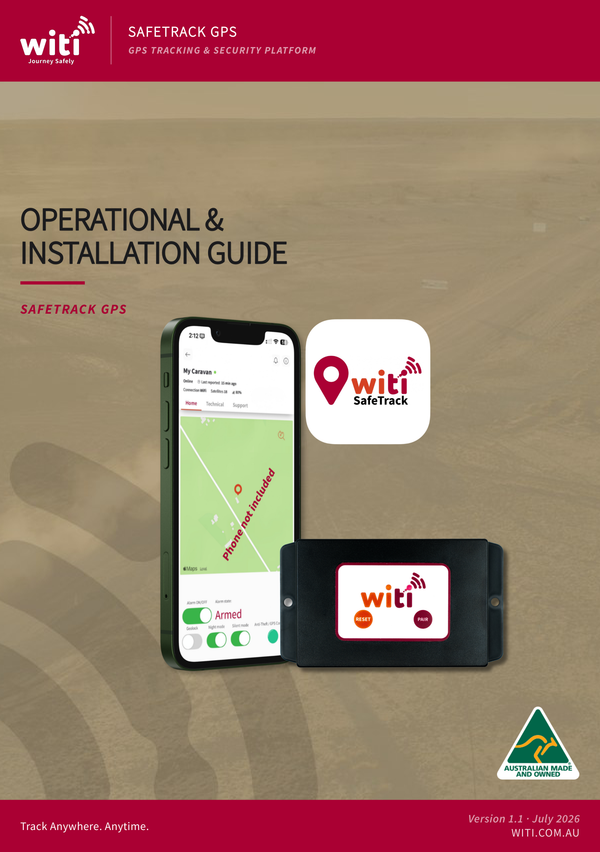

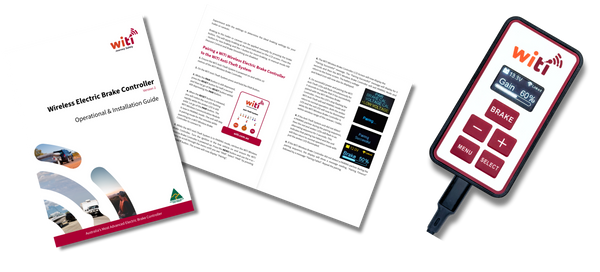
Need a manual for an older or discontinued product?
View the full manuals archiveLooking for firmware files for device flashing? Visit firmware downloads →
Watch & learn
Step-by-step installation walkthroughs, product overviews, and customer reviews. Click any video to play in-page.
Still need help? Get in touch
Our support team typically responds within one business day. For the fastest answer, try the AI Chatbot in the bottom-right of this page first.
By submitting this form you agree to our privacy policy.