
WiTi firmware downloads
Latest firmware files for WiTi devices. Only flash firmware when instructed by WiTi support or when explicitly recommended below — incorrect flashes can disable your device.
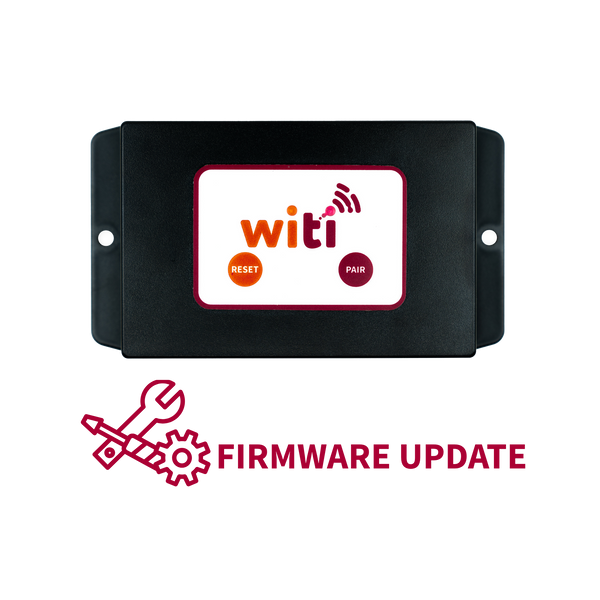
SafeTrack GPS firmware
Automatic firmware delivery — no manual flash needed for the current SafeTrack GPS product.
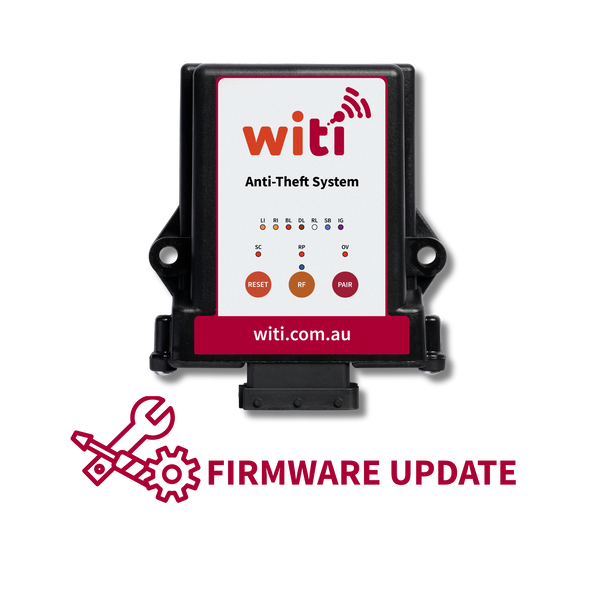
Anti-Theft System V3 firmware
Current model. Compatible with all Anti-Theft V3 units (serial numbers starting ATB86…) released from April 2026 onwards.
v8.0.4
Release notes
Bug fixes and performance improvements.
We are always working to ensure our devices are working at their optimum level.
In this update:
Voltage display fix — Corrects the "InfV" reading on the SafeTow Brake Controller voltage display.
Towing and braking improvements — Refinements to the towing and braking algorithms for smoother, more consistent performance.
Wireless Interface brake detection — Fixes an issue where brake light activation wasn't detected when running in Wireless Interface mode.
Levelling Calibration — Adds the ability to set levelling on the SafeTow Brake Controller to zero point.
How to flash this firmware
-
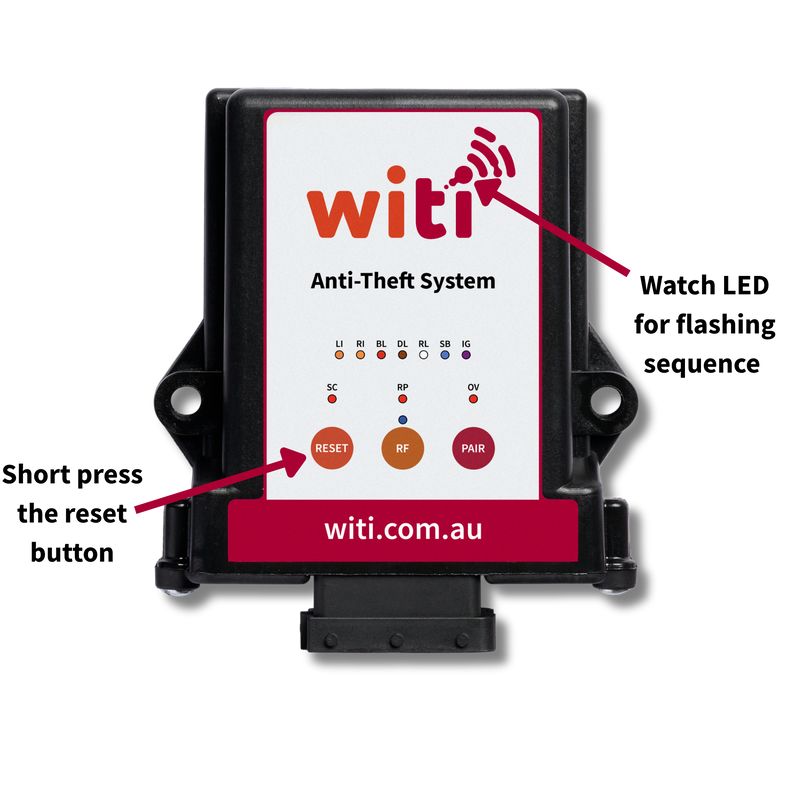
Put Anti-Theft into OTA (Over the air) mode.
Ensure the following devices if installed are powered down before preforming this step.
Brake Controllers
SafeTrack GPS
Wireless Towing Interface.
Once this is done press the reset button on the Anti-Theft. The second LED light in the logo should start flashing slowly this will continue for around 30 seconds. If this light goes out after this period of time press reset a second time it will go through the same process but after the 30 seconds, it should then start flashing quickly this indicates the device is ready to connect to. -
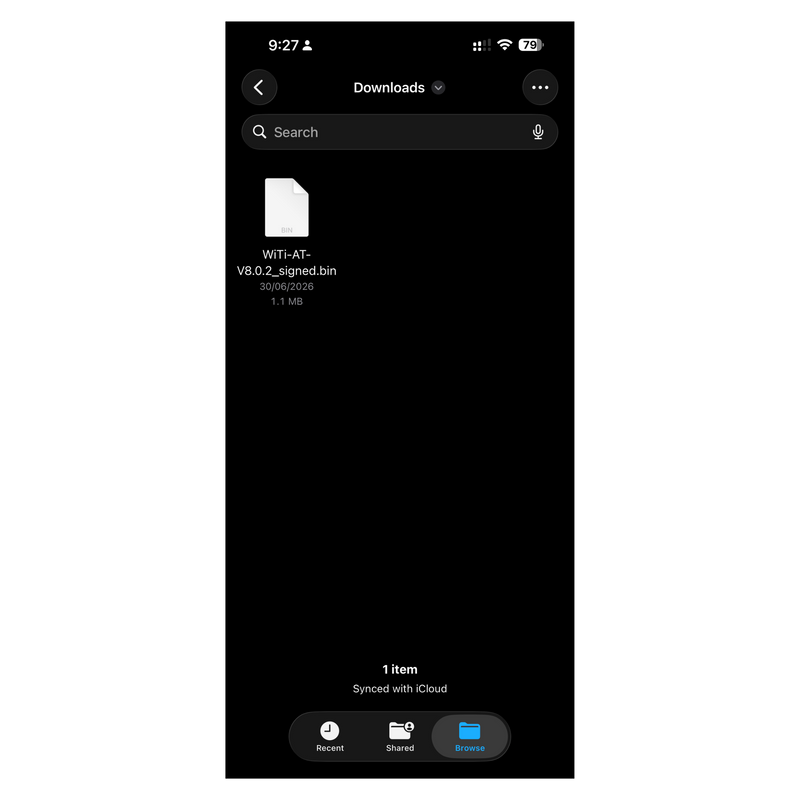
Download Firmware
Firstly, download the latest and correct firmware for your device and save to your mobile phone.
-
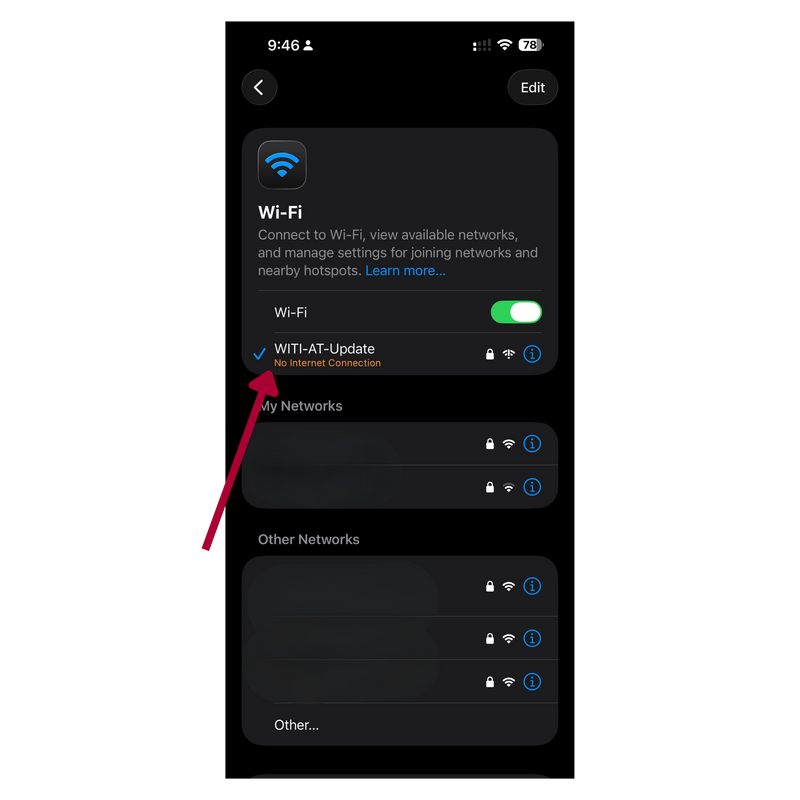
Selecting Wi-Fi network and connecting to device
Go to Wi-Fi settings on your mobile device and select network "WITI-AT-Update" and enter password "WiTi-Update" at this point the connection should establish.
-
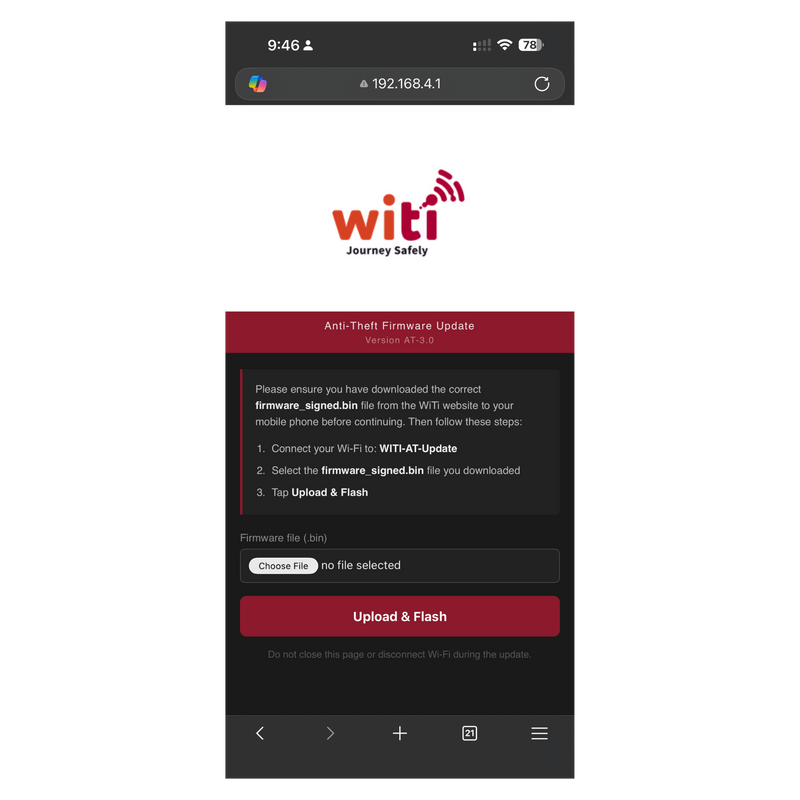
Open software upload page.
Open browser window on mobile device Edge, Chrome etc.
In the address field input "192.168.4.1" and enter. This will open the Anti-Theft Firmware Update page as displayed. -
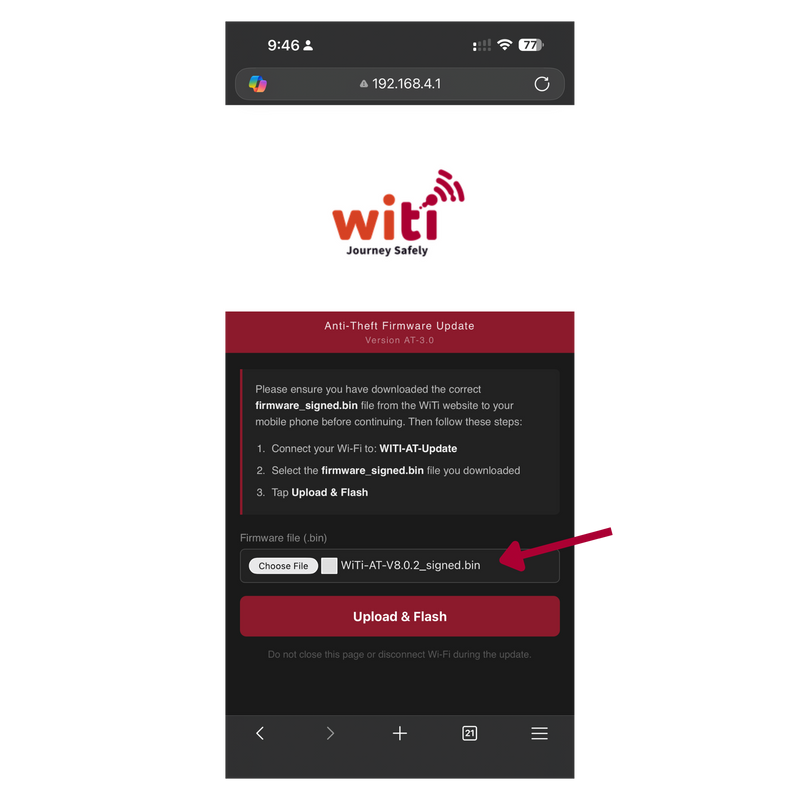
Choose firmware file
Select "Choose File" and find the firmware file you saved earlier on your device.
You should now have the selected file displaying back in the Anti-Theft Firmware Update screen. -
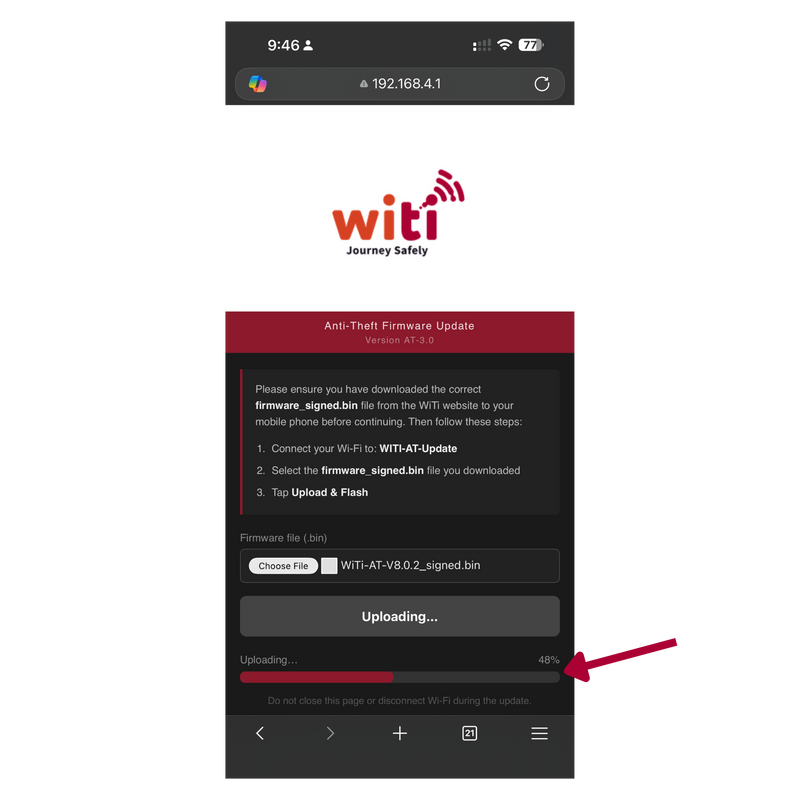
Upload & Flash
Select "Upload & Flash" this will start the firmware upload process to the Anti-Theft.
-
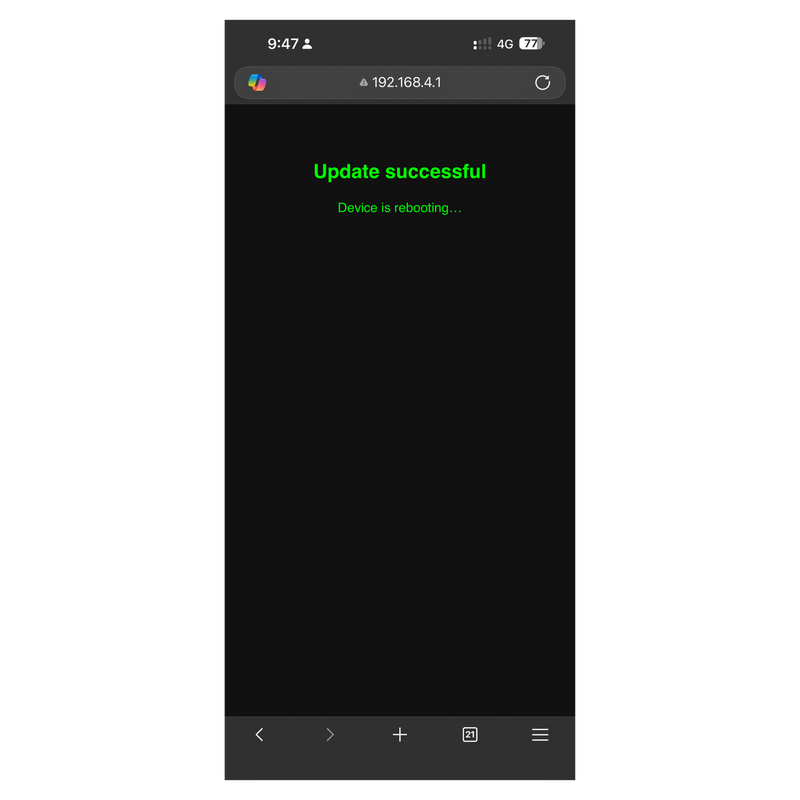
Update Complete
Once the update is completed successfully you will be met with this screen.
The Anti-Theft will reboot and cycle again through the LED flash sequences on the second LED light for around 3 mins. Once this LED has gone out you can repower the other pairing WiTi devices back on.
If you are meet with an "Update rejected" this generally indicates the incorrect firmware has been used please reach out to us at support@witi.com.au and we'll sort you out.
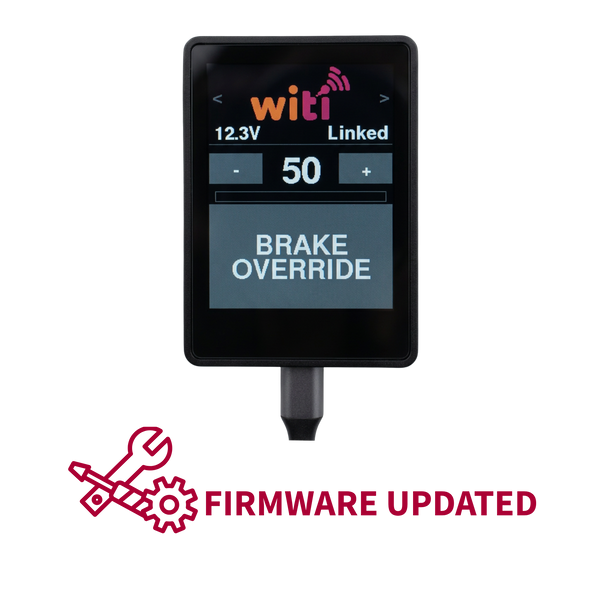
SKU 380 firmware
Firmware versions for SKU 380 devices. Confirm your firmware version with support before flashing.
v7.2.0
Release notes
Vehicle TPMS
Keep an eye on your tow vehicle's tyre pressures right alongside your trailer's. The new screen shows all four tyres (FL/FR/RL/RR) at a glance, with easy sensor pairing and adjustable pressure alerts.
Defaults: Critical 15 PSI · Warning 20 PSI · Max 60 PSI
Airbag Monitor
For vehicles fitted with air suspension, this screen monitors left and right airbag pressure, with the same simple pairing and alert setup. Don't have airbags fitted? No problem — just switch the screen off in Settings.
Defaults: Critical 15 PSI · Warning 20 PSI · Max 40 PSI
Levelling Calibration
You can now zero your levelling display. Level the caravan or trailer, then head to the Levelling menu and press Set to calibrate.
Lighting Diagnostics
Run a diagnostic check on your trailer lighting circuits straight from the display — a quick way to confirm everything's working before you hit the road.
Screen Settings
Customise your display to show only what's relevant to you. Go to Menu → Screen Settings to turn Trailer TPMS, Vehicle TPMS, or Airbag Monitor on or off individually.
Updated Navigation
Your display now cycles through: Home → Trailer TPMS → Vehicle TPMS → Airbag Monitor → Level → Home. Any screens you've switched off are skipped automatically, so navigation stays quick and clutter-free.
Smarter Home Screen Alerts
The Home screen now also displays alerts for Vehicle TPMS and Airbag Monitor, so you won't miss an important pressure warning no matter which screen you're on.
How to flash this firmware
-
Download Firmware
Firstly, download the latest and correct firmware for your device and save on your mobile phone.
-
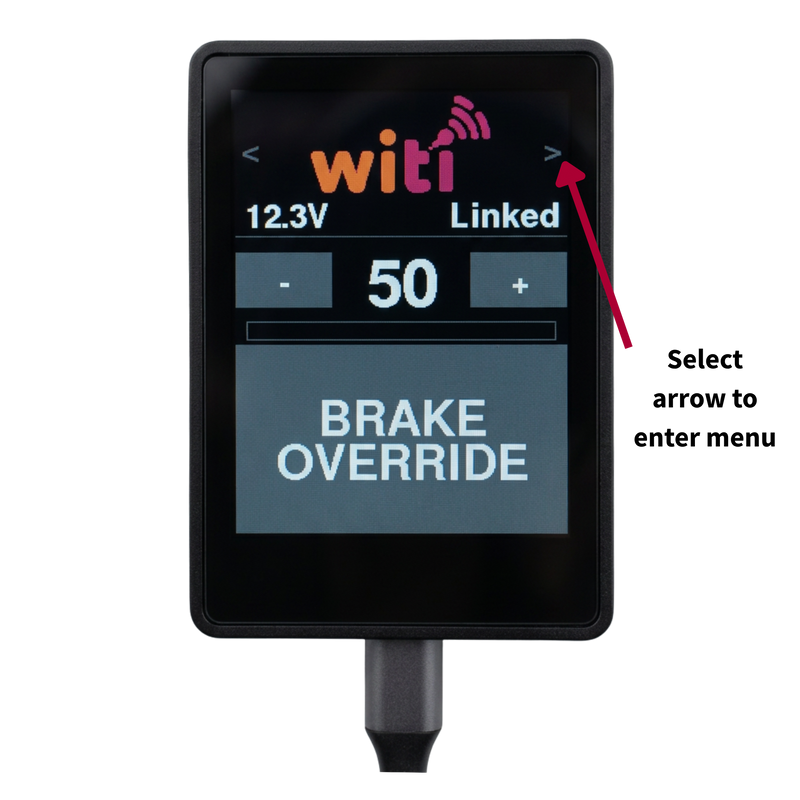
Go to the main menu on SafeTow Controller
Select the top right arrow from main screen as marked to enter SafeTow menu.
-
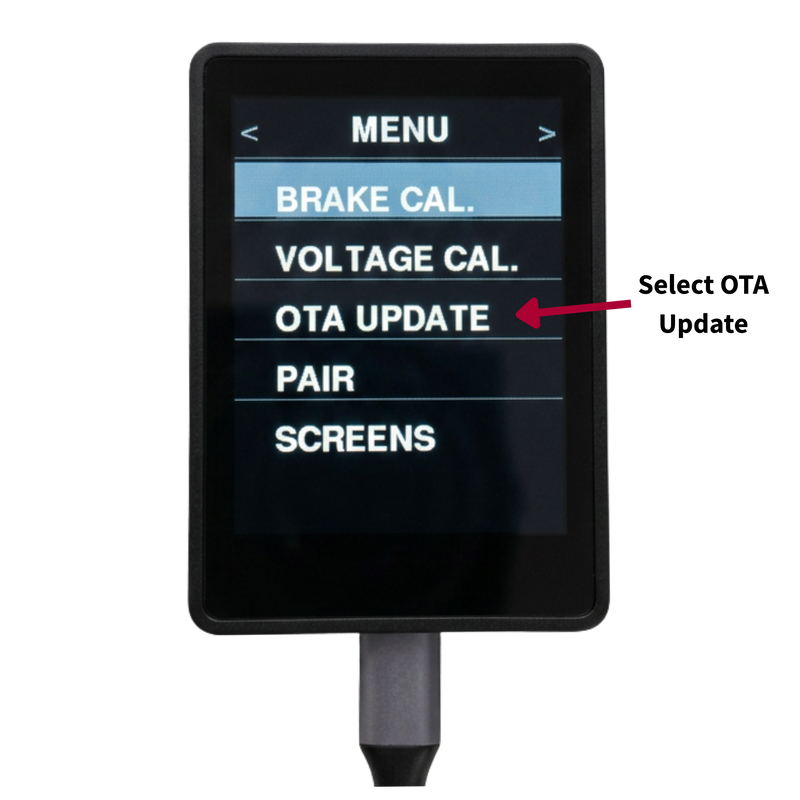
Select OTA Update
Once selected you will receive further instructions on screen on the SafeTow Controller.
-
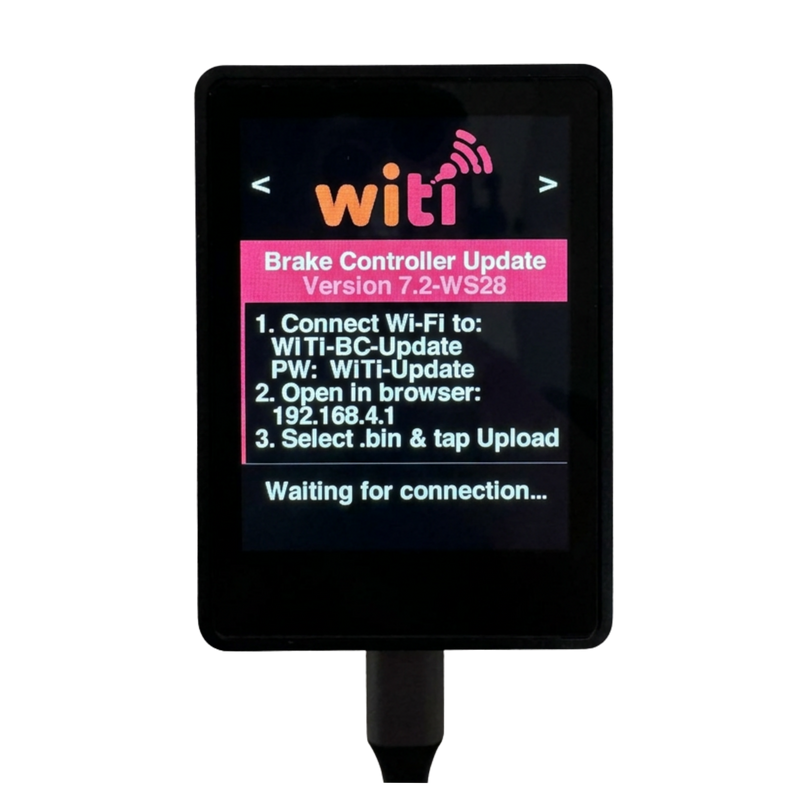
OTA Screen
Please follow on screen instructions
-
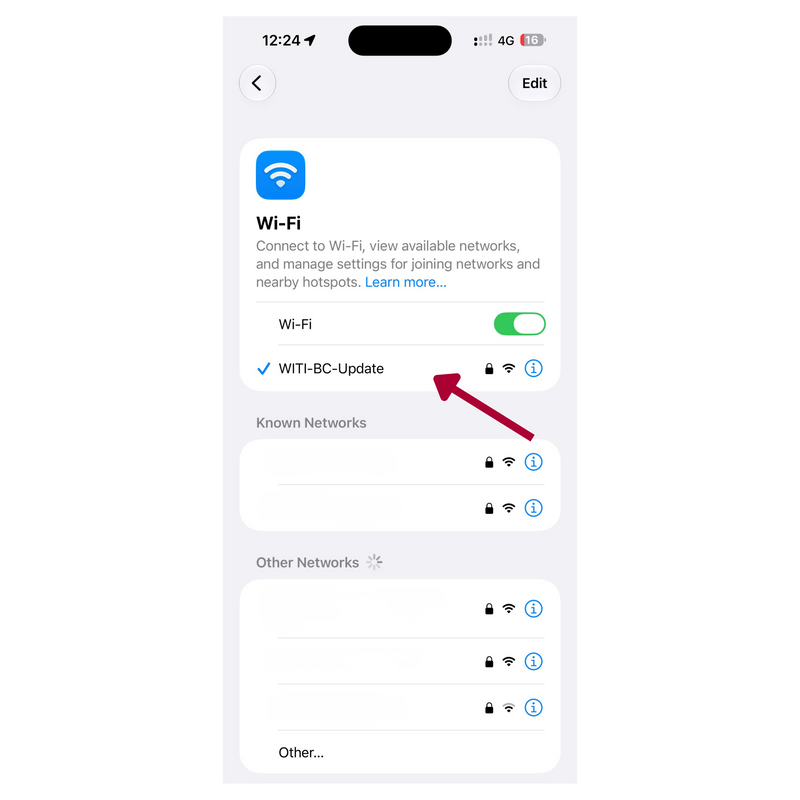
Selecting Wi-Fi network and connecting to device
Go to Wi-Fi settings on your mobile device and select network "WITI-BC-Update" and enter password "WiTi-Update" at this point the connection should establish.
-
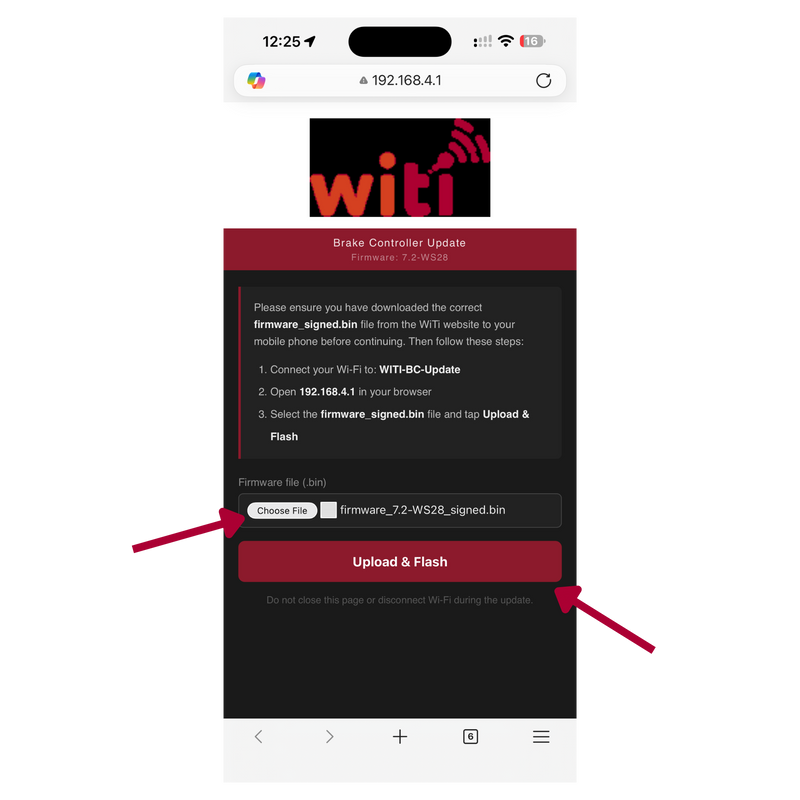
Open software upload page
Open browser window on mobile device Edge, Chrome etc.
In the address field input "192.168.4.1" and enter. This will open the SafeTow Firmware Update page as displayed.
Click "Choose File" and then find and select the firmware you had previously downloaded. Click "Upload & Flash" this should start the flashing process. -
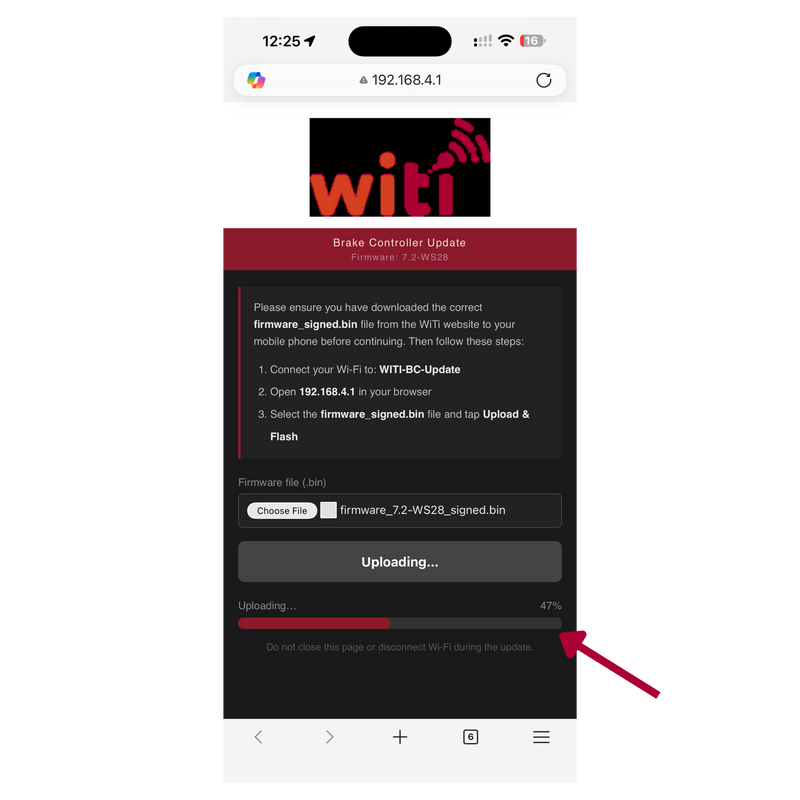
Device firmware transferring
On your phone and SafeTow Controller you should see a progress bar showing the firmware uploading to the SafeTow device.
-
Update Complete
Once the update is completed successfully you will be met with this screen.
The SafeTow Controller will reboot and you will return to the main device screen ready to go.
If you are meet with an "Update rejected" this generally indicates the incorrect firmware has been used please reach out to us at support@witi.com.au and we'll sort you out.
Anti-Theft (V2) firmware
Older V2 Anti-Theft units. After the initial workshop bench-flash conversion is complete, you can self-flash future firmware updates yourself using the files below.
Bench flash required first. These firmware files only work on devices that have already had the initial workshop bench-flash conversion. If your device hasn't had the bench flash yet, book a workshop upgrade — without it, flashing these files will not work.
Book a workshop upgradev1.3.4
Release notes
How to flash this firmware
-
Put Anti-Theft into OTA (Over the air) mode.
Ensure the following devices if installed are powered down before preforming this step.
Brake Controllers
SafeTrack GPS
Wireless Towing Interface.
Once this is done press the reset button on the Anti-Theft. The second LED light in the logo should start flashing slowly this will continue for around 30 seconds. If this light goes out after this period of time press reset a second time it will go through the same process but after the 30 seconds, it should then start flashing quickly this indicates the device is ready to connect to. -
Download Firmware
Firstly, download the latest and correct firmware for your device and save to your mobile phone.
-
Selecting Wi-Fi network and connecting to device
Go to Wi-Fi settings on your mobile device and select network "WITI-AT-Update" and enter password "WiTi-Update" at this point the connection should establish.
-
Open software upload page.
Open browser window on mobile device Edge, Chrome etc.
In the address field input "192.168.4.1" and enter. This will open the Anti-Theft Firmware Update page as displayed. -
Choose firmware file
Select "Choose File" and find the firmware file you saved earlier on your device.
You should now have the selected file displaying back in the Anti-Theft Firmware Update screen. -
Upload & Flash
Select "Upload & Flash" this will start the firmware upload process to the Anti-Theft.
-
Update Complete
Once the update is completed successfully you will be met with this screen.
The Anti-Theft will reboot and cycle again through the LED flash sequences on the second LED light for around 3 mins. Once this LED has gone out you can repower the other pairing WiTi devices back on.
If you are meet with an "Update rejected" this generally indicates the incorrect firmware has been used please reach out to us at support@witi.com.au and we'll sort you out.
Talk to support before flashing
Have your device's serial number and current firmware version ready. We'll confirm the right file and walk you through the flash.